Best Aquarium Log App: How to Choose One
Learn what makes a good aquarium log app for water tests, photos, maintenance, livestock, dosing, symptoms, equipment, and long-term tank history.
By Aquarium Tracker Editorial Team
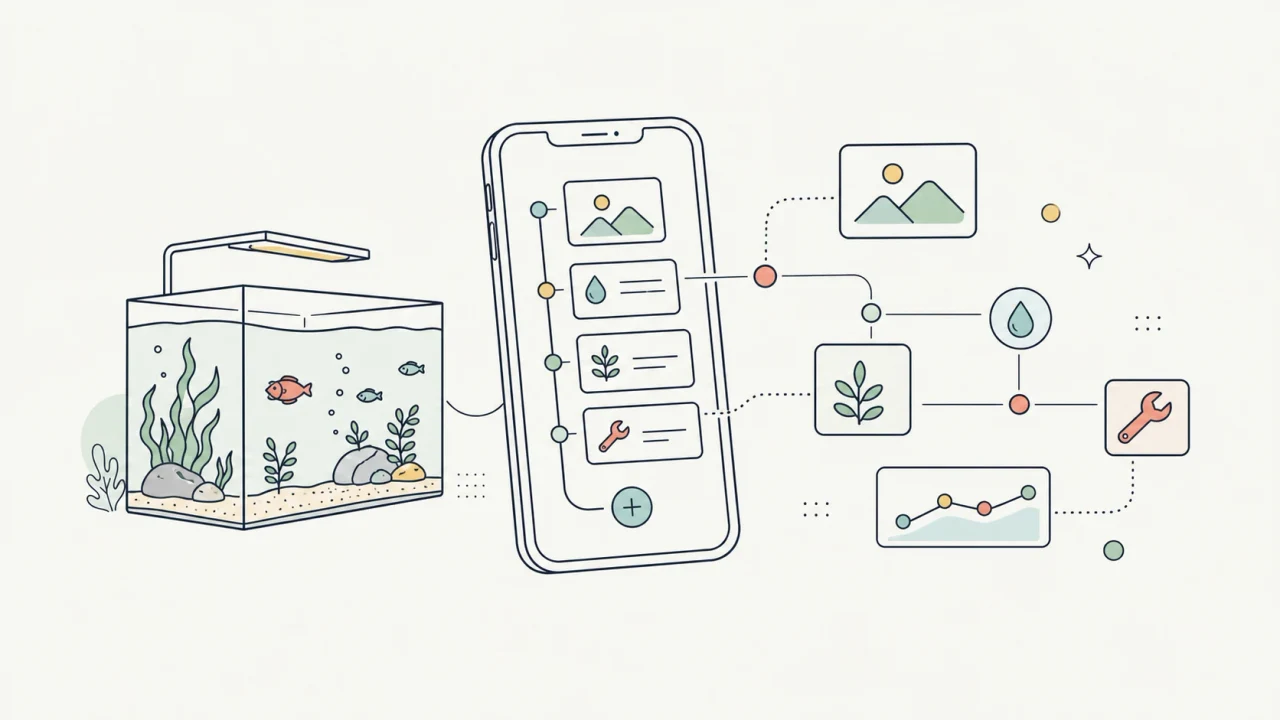
Short answer
- A good aquarium log app should make the timeline easier to understand, not just store notes.
- Prioritize water parameters, maintenance history, photos, livestock records, and multiple-tank separation.
- The best log is one you can keep using quickly after testing water or finishing maintenance.
- Look for a log that can answer what changed before a problem, not just what you wrote most recently.
A log should answer what changed
Aquarium records become valuable when they explain change. A nitrate reading, water change, fish behavior note, filter cleaning, and new plant addition are more useful together than as separate isolated notes.
When choosing an aquarium log app, look for a timeline that makes cause and effect easier to inspect without pretending that one data point proves everything.
The core records to keep
Start with water tests and maintenance. Those two categories explain a large part of aquarium stability. Add livestock and plant records when changes in behavior, growth, health, or stocking could explain future readings.
Photos are useful because they capture slow visual changes that are easy to miss day to day: algae, plant mass, fish condition, coral growth, or cloudy water.
- Water values such as pH, KH, GH, nitrate, phosphate, temperature, and salinity where relevant.
- Maintenance actions such as water changes, filter cleaning, trimming, and dosing.
- Livestock, plant, coral, symptom, and behavior notes.
- Equipment changes that might affect flow, light, filtration, or heating.
Why speed matters
A log app can have many fields and still fail if it is slow to use. The practical question is whether you can enter the record while standing near the tank after testing water or completing a task.
Aquarium Tracker is built for that routine: quick entries, tank-specific context, and records that can be reviewed later without rebuilding a spreadsheet.
How to evaluate a log app in five minutes
Before committing to an aquarium log app, run a realistic entry. Add a water test, a water change, a photo, a livestock note, and a reminder for the next task. Then try to find those records again from the tank timeline.
This small test reveals more than a feature list. A useful aquarium journal app should make the common loop easy: record the event, attach enough context, and review it when the tank changes.
- Can you log a water test without hunting through unrelated fields?
- Can notes, photos, and tasks belong to the right aquarium?
- Can you review the last few weeks without exporting data first?
- Can the app stay useful if you add a second tank?
Where logs become useful for troubleshooting
A log does not diagnose a tank by itself, and one reading should not be overinterpreted. Its value is pattern recognition. If algae increases, fish behavior changes, plants stall, or water clarity drops, the log helps you inspect recent maintenance, water values, feeding, dosing, equipment changes, and photos.
That is why structured aquarium history matters. The more clearly a log connects events to the right tank and date, the easier it is to ask better questions and avoid guessing from memory.
Comparison table
| Record type | Why to log it | Review question |
|---|---|---|
| Water parameters | Shows chemistry trend | Is the tank drifting or stable? |
| Water changes | Explains dilution and response | Did the tank improve after maintenance? |
| Dosing | Connects nutrients and plant response | Did one change move the trend? |
| Livestock changes | Adds behavior and bioload context | What changed before symptoms appeared? |
| Photos | Captures slow visual change | Does the tank look better than last month? |
| Equipment notes | Explains setup changes | Did hardware change the routine? |
| Symptoms or behavior | Adds livestock context | What changed before the behavior appeared? |
| Reminder history | Shows whether planned care happened | Was the routine followed consistently? |
Related Aquarium Tracker pages
FAQ
What should I log every week?
For most tanks, log key water readings, water changes, feeding or dosing changes, visible livestock behavior, and any maintenance that disturbed the tank.
Do I need photos in an aquarium log?
Photos are not required, but they help compare slow changes such as algae growth, plant density, livestock condition, and aquascape development.
What is the difference between an aquarium log app and a notes app?
A notes app stores flexible text. An aquarium log app should add aquarium structure: tank-specific records, water parameters, maintenance history, photos, livestock context, and reviewable timelines.
Can an aquarium log help with troubleshooting?
It can help organize clues, but it does not replace careful observation or expert help. A good log makes it easier to review recent water values, maintenance, dosing, livestock changes, photos, and equipment notes.
Aquarium Tracker
Try the aquarium tracking workflow on your phone.
Log parameters, plan maintenance, save livestock notes, and keep tank history close to the aquarium.