Aquarium Tracker vs Spreadsheet: Best Tank Log for Water Parameters
Compare Aquarium Tracker with aquarium spreadsheets for water parameters, reminders, livestock notes, photos, exports, and multi-tank workflows.
By Aquarium Tracker Editorial Team
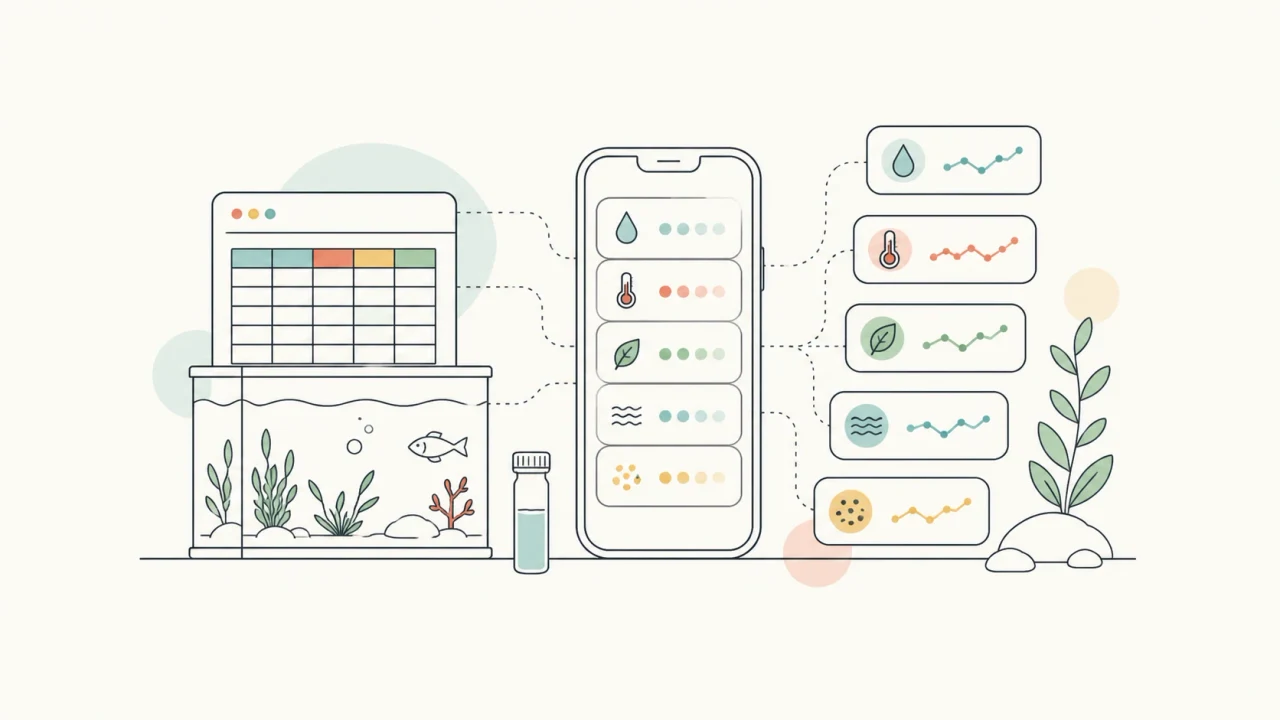
Short answer
- Use a spreadsheet when you want maximum control over columns, formulas, and exports.
- Use Aquarium Tracker when tank context matters more than spreadsheet flexibility: parameters, reminders, livestock, photos, and notes stay connected.
- For multiple aquariums, an app usually reduces the chance of mixing readings between tanks.
- The best setup can be hybrid: app for daily logging, spreadsheet for occasional deep analysis.
- If you are choosing for routine care, prioritize the system you will update immediately after testing water or finishing maintenance.
The real difference is context
A spreadsheet can store almost anything, but it only understands the structure you build. If every water test, reminder, livestock note, and photo lives in a separate tab or file, the aquarium history can become harder to review over time.
Aquarium Tracker is built around aquarium objects first: tanks, parameters, livestock, tasks, log entries, and notes. That structure matters when you want to understand what happened before a nitrate rise, missed water change, livestock addition, or dosing change.
When a spreadsheet still makes sense
Spreadsheets are strong when you want custom charts, unusual formulas, bulk editing, or a personal template that does not need reminders or photos. They are also familiar if you already manage other hobby records in Google Sheets or Excel.
The tradeoff is maintenance. Every new tank, parameter, chart, and reminder system has to be designed and kept consistent manually.
- Choose a spreadsheet if you enjoy designing your own dashboard.
- Choose a spreadsheet if custom export formats matter more than speed.
- Choose a spreadsheet if your tank routine is simple and you rarely need reminders.
When Aquarium Tracker is the better fit
Aquarium Tracker is better when the goal is repeatable day-to-day care: logging tests from your phone, keeping tank-specific history, creating maintenance tasks, saving livestock and plant records, and reviewing trends without rebuilding a dashboard.
It is especially useful when more than one aquarium is involved, because each record is tied to the aquarium it belongs to instead of relying on a manually selected sheet or tab.
- Use it for routine water parameter logging.
- Use it when reminders and completed tasks should sit beside the log.
- Use it when livestock or plant changes need photos and notes.
Decision checklist for aquarium parameter logs
The decision is usually less about whether spreadsheets are powerful and more about where mistakes happen. If the friction is entering readings on mobile, finding old notes, or separating tanks, an aquarium app solves a different problem than a spreadsheet.
If the friction is advanced charting, custom calculations, or sharing a raw workbook with another system, a spreadsheet may remain useful. The practical test is whether the tool improves the next water test, not whether it can store every possible field.
- Pick the app if you want tank-specific entries, reminders, photos, and livestock context in one workflow.
- Pick the spreadsheet if you want custom formulas, custom charts, and manual control over every column.
- Use both if daily care belongs in the app and monthly analysis belongs in a spreadsheet export.
How to move from a spreadsheet without losing context
A clean migration does not require copying every old cell on day one. Start by moving the records that influence care decisions: current water parameters, recent water changes, dosing notes, livestock additions, equipment changes, and open maintenance reminders.
Keep the old spreadsheet as an archive, then use Aquarium Tracker as the current source of truth. That avoids a messy transition where some new readings live in the app and other readings continue to appear in the spreadsheet.
Comparison table
| Need | Spreadsheet | Aquarium Tracker |
|---|---|---|
| Custom formulas | Very strong | Use calculators and structured logs |
| Mobile logging | Possible, but generic | Built for quick tank entries |
| Maintenance reminders | Requires manual setup | Built into the care workflow |
| Multiple tanks | Needs careful tab structure | Tank-specific by design |
| Photos and livestock notes | Possible with extra links | Part of the app workflow |
| Quick trend review | Depends on chart setup | Designed around aquarium history |
| Data export or analysis | Very strong | Useful for routine records; export needs depend on workflow |
| Setup effort | Template must be maintained | Aquarium structure is already defined |
Related Aquarium Tracker pages
FAQ
Should I replace my aquarium spreadsheet completely?
Not always. Use Aquarium Tracker for daily care and keep a spreadsheet if you want custom analysis or long-term exports.
Is a spreadsheet enough for a beginner aquarium?
It can be enough if you keep it simple, but beginners often benefit from app structure because readings, tasks, and notes stay connected.
What aquarium spreadsheet fields are most important to move first?
Move current water parameters, water changes, dosing, livestock changes, equipment changes, and open reminders first. Older rows can stay in the spreadsheet as an archive.
Is Aquarium Tracker less flexible than a spreadsheet?
Yes, in the sense that a spreadsheet can be shaped into almost anything. Aquarium Tracker trades some blank-canvas flexibility for faster aquarium-specific logging, reminders, photos, and tank context.
Aquarium Tracker
Try the aquarium tracking workflow on your phone.
Log parameters, plan maintenance, save livestock notes, and keep tank history close to the aquarium.